Multi array support for personal plan is available.
September 5, 2026
Personal plan users can now configure multiple solar arrays under a single account. Each array can have its own capacity, tilt, and orientation, so forecasts better match systems with more than one panel group — for example main roof and dormer arrays facing different directions.
Set up your arrays
On the Setup page, create one card per roof plane. Enter each array’s capacity (kWp), tilt (0–90°), and orientation (0–360°, where North = 0, East = 90, South = 180, West = 270). You can model up to four arrays.
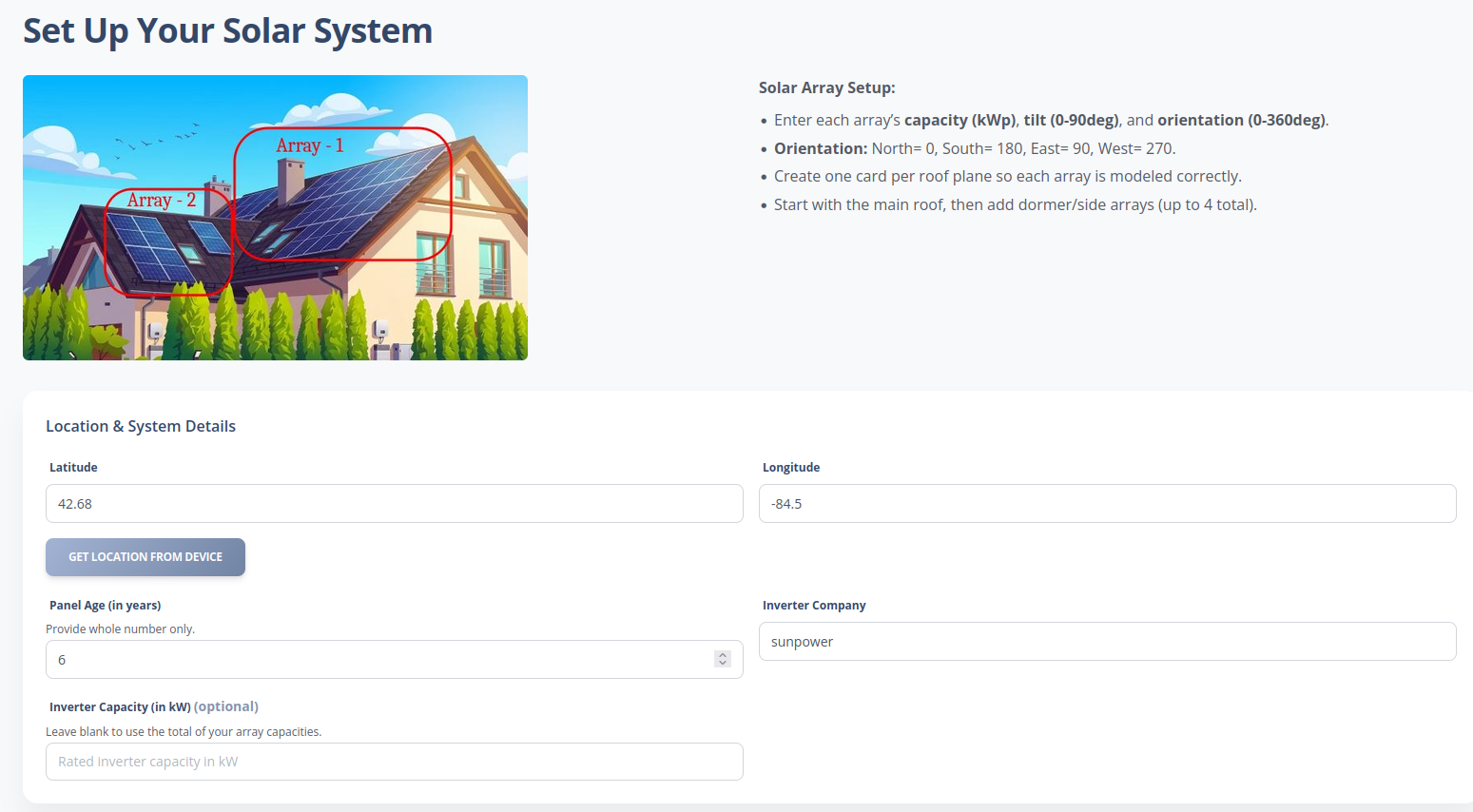 Setup guidance: define a separate array for each roof plane so each group is modeled correctly.
 Use Add Array to add another array card, or Delete Array to remove one. Each card lets you set capacity, tilt, and orientation independently.
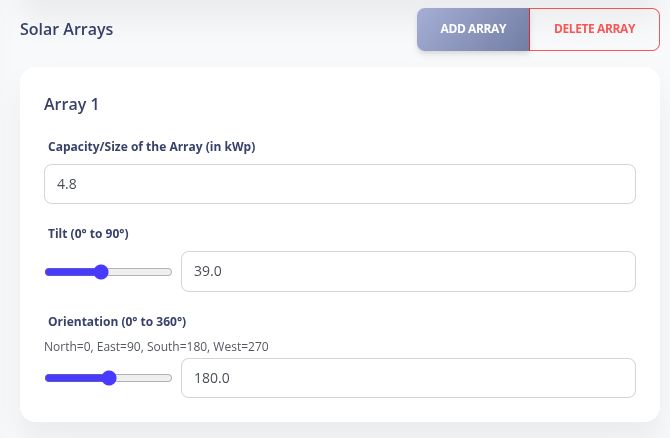 Add or delete arrays and configure capacity, tilt, and orientation per array.
 Dashboard
The dashboard now breaks out production by array. You can compare total forecast vs clear sky, view each array’s DC output over the day, see array-wise share of today’s energy, and check the next three days of total production.
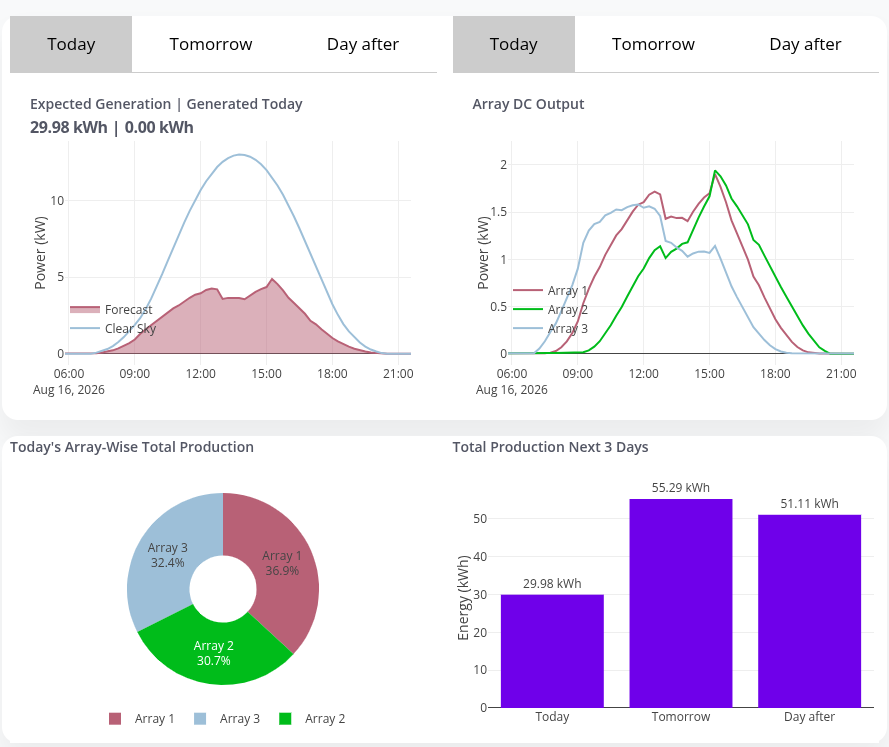 Dashboard charts include Array DC Output and today’s array-wise total production.
 API
Forecast responses for personal plans now include per-array series such as array_1_kWatt and array_2_kWatt, alongside the existing aggregate fields and system_info.
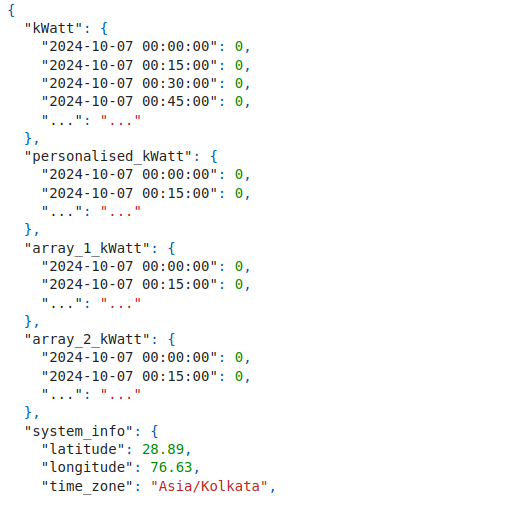 API payload with per-array power series for multi-array systems.
 Existing users: Open Settings from your dashboard to add and manage arrays, then review the updated charts and API fields once your system is saved.
Note: For "generation" end point, do not send array-wise production data, send the total production instead. Personalised model considers the total production only.